Communications

Reference Guide

This guide is designed to ensure that all college marketing and communications adhere to the highest standards of design and accuracy.

District Communications has prepared this information to equip faculty, staff, students, administrators, and volunteers with the information needed to effectively promote departments and programs, maintain consistency and accuracy in communications, and help all of us in our collective efforts to enhance the college’s reputation and brand. This is a working document that will undergo continuous revision. The information here provides answers to the most common questions and information about the most frequently used services. We appreciate your support, value your input, and look forward to working with you.

Eric Harnish
Vice President
Public Information, Advocacy & External Relations

The Public Information Office (PIO) manages the college’s communications with the community. Services include:

  • development of advertising campaigns
  • distribution of news releases and advisories
  • coordination of departmental requests for print and digital marketing material such as fliers, posters, brochures, and banners
  • programming of electronic marquees and campus monitors
  • management of the online campus calendar
  • photo coverage of campus events
  • media relations
  • government relations
  • emergency communications
  • Canyons Hall 105
  • Ext. 0

Often the first point of contact for new students and campus visitors, the Communication Center & Mailroom:

  • routes callers to desired extensions
  • answers questions about college programs, services, and events
  • answers emergency calls and coordinates the appropriate response with Campus Safety
  • manages faculty, staff, and department mailboxes
  • distributes incoming mail
  • processes outgoing mail

Reprographics provides a wide range of services, including:

  • copying and printing solutions for a variety of projects
  • duplication of tests, syllabi, and instructional material
  • printing of items ranging from business cards to large banners
  • copyright oversight to protect the college and its employees

Note: Reprographics at the Canyon Country campus operates independently.

  • Bonelli Hall 116
  • Ext. 3630

The Graphic Design Center creates material used for student outreach and recruitment, and that highlight college programs, initiatives, and events. Design services include:

  • print and digital marketing material
  • brochures, fliers, posters, and banners
  • electronic marquee animations

Sports Information works with the Athletics Department to:

  • promote the college’s 17 inter-collegiate athletic teams
  • highlight the achievements of student-athletes and coaches in the media, online at cocathletics.com, and through social media
  • produce more than 70 livestream broadcasts annually of athletic events

Accessibility

Accessibility is a key component of inclusivity at College of the Canyons. As articulated in our Mission Statement, our commitment to inclusion supports an environment where all students can achieve their educational goals. Moreover, we strive to fully include all who engage with us by ensuring that communications and content are accessible to everyone.

Accessibility isn’t optional. It’s a mandatory mindset and practice.

Learn More

Overview

The standards here apply to all college communications to the public – not individual communications or instructional material.

Marketing material may be requested through the Public Information Office by submitting a Marketing Project Request. Employees who create college-related communications and marketing materials for extended audiences and off-campus distribution are expected to follow these standards. All external communications representing the college, including college logos, must be reviewed by the Public Information Office before distribution. This applies to material created by college employees using design software such as Canva, and to outside vendors such as web designers or video producers.

Need Help?

Do you need marketing materials, a review of something you created, or more information? We are available to help:

  • Phone: (661) 362-3414
  • Email: pio@canyons.edu
  • We are located in Canyons Hall 255

External communications include:

  • Advertisements
  • Banners
  • Brochures
  • Catalogs
  • Programs
  • Fliers
  • Letters
  • Postcards
  • Web Pages
  • Folders
  • Invitations
  • Newsletters
  • Posters
  • Videos
An example of a large-format banner that welcomes students to campus.

Banners

Large-format banners are designed by the Graphic Design Center, with requests reviewed by the Public Information Office. The Reprographics Center prints them, and the Facilities Department coordinates installation.

Size – Banners are typically printed on vinyl and vary in size, from 2 feet by 4 feet up to 4 feet by 8 feet.

Timeline – If you are requesting banners to promote an event, submit your order at least four weeks before the event. This allows for two weeks of production and two weeks of display time. Requests submitted with less than four weeks’ notice will not be fulfilled. Banners will be displayed for a minimum of two weeks and a maximum of four weeks.

How to Order

Location – Facilities maintains 19 locations (see list) at the Valencia campus where banners can be installed. Before ordering, contact PIO at Ext. 3414 or pio@canyons.edu to reserve a location. Departments may reserve up to five locations at one time.

Order – Submit a request at the link below. Be sure to include the location number(s) to ensure banners are sized correctly; sizes vary depending on location. Allow a minimum of two weeks for design and production.

Installation – Reprographics will notify Facilities when banners are ready for installation.

Request a Banner

Banner Locations

  1. UCEN Lobby 2nd Floor Bridge
  2. UCEN Outside
  3. Welding Fence (South)
  4. Welding Fence (North)
  5. Aliso Lab
  6. Towsley (next to Coffee Kiosk)
  7. Mentry Bridge
  8. Bonelli Hall Stairs (facing Mentry)
  9. Seco Bridge
  10. Bonelli Hall (facing Honor Grove)
  11. Student Center Wall
  12. Student Center Doors
  13. Hasley Handrail
  14. Student Center Dining Room
  15. Parking Lot 5 (practice field)
  16. Parking Lot 8 (visitor side)
  17. Parking Lot 8 (home side)
  18. Baseball Field Fence
  19. Student Center (east)

Publication Requirements

All marketing material created for off-campus distribution (print or electronic) should follow our communications standards and include:

College Logo

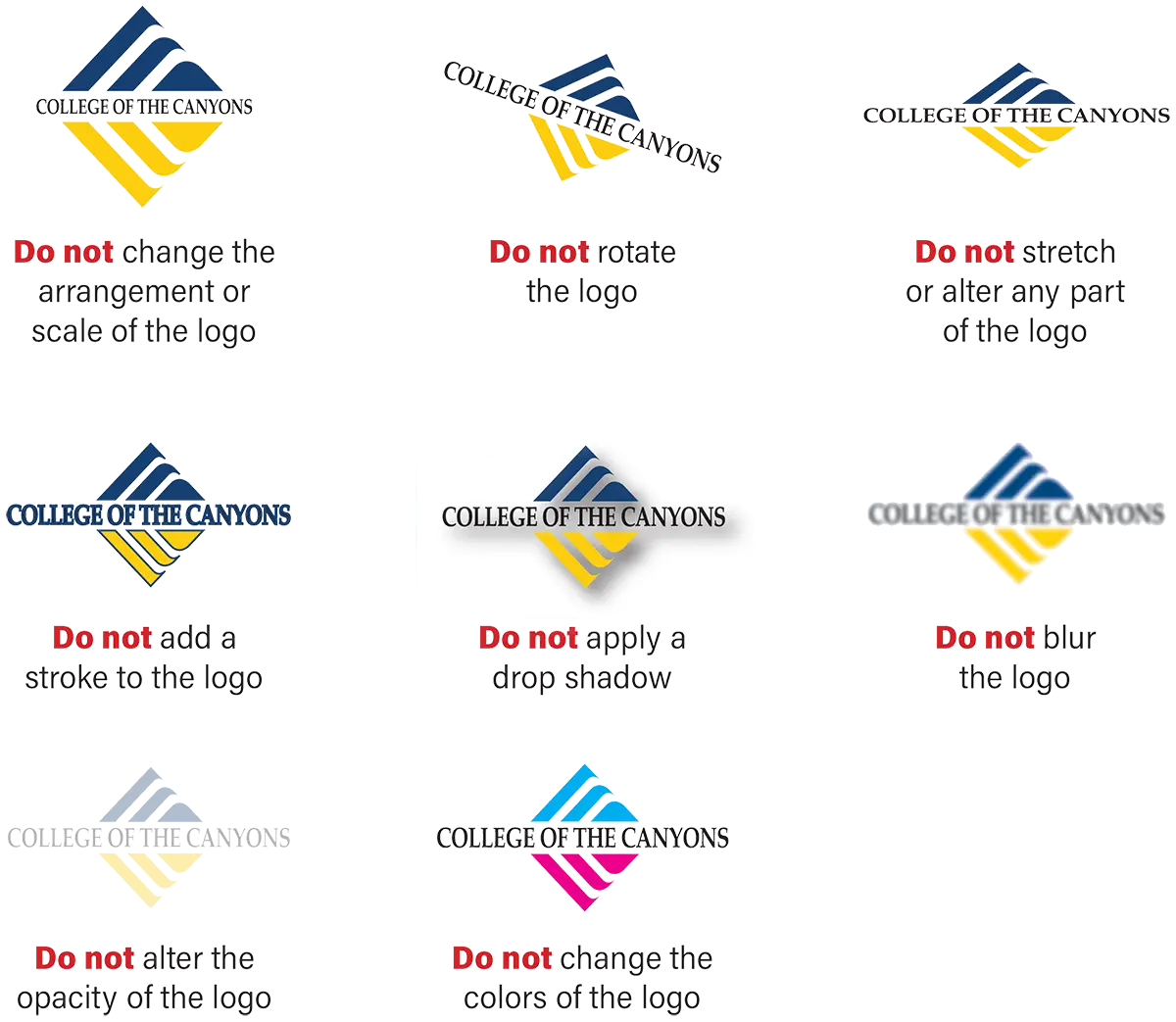
Displayed according to our specific standards. Other logos may be included, but they must be displayed less prominently than the college logo.

Web Address

canyons.edu must be used on all publications and promotional materials for the college.

Image Licenses

Images must be licensed for the college’s use. Do not use any image downloaded from the internet or acquired by other means without prior written permission from the image owner.

Review & Approval

Materials created outside of the Graphic Design Center must be reviewed by the Public Information Office before production or distribution. Please submit a Word document or PDF to pio@canyons.edu. We will review:

  • Content
  • Spelling, grammar, and syntax
  • Compliance with bulk-mail regulations
  • Compliance with copyright law
  • Correct logo usage
  • Adherence to college and district policies

Please allow at least 48 hours for fliers and brochures. Larger projects will require more time.

Media Relations

The Public Information Office coordinates media relations on behalf of the District.

This includes issuing news releases and other official communications to on-campus, local, regional and national media outlets, and individual media members, as well as the logistical coordination of all media coverage and requests for information related to campus events and activities, and breaking news topics and issues. To ensure accurate, consistent information is shared with the media in support of the district’s strategic goals, all personal, verbal, written and electronic communication with media outlets and/or individual media members must be coordinated through the Public Information Office.

If you need help promoting an upcoming campus event or activity in the media, contact the Public Information Office as early as possible in the planning process. Advance notice of 10 business days enables us to most effectively handle your request. Please contact the Public Information Office at Ext. 3414 or pio@canyons.edu

If you are contacted by a reporter or someone identifying themselves as a member of a media organization, please refer them to the Public Information Office at Ext. 3414 or pio@canyons.edu.


Outdoor Marquees

College of the Canyons operates four outdoor digital marquees to promote college events that appeal to a broad audience, display important information, and bring attention to college services and partnerships.

  • Two are located at the Valencia campus (one is double-sided).
  • One is located at the Canyon Country campus.
  • They are active from 6:30 a.m. to 10 p.m., 365 days per year.
Posting Criteria

The Public Information Office programs the marquees and prioritizes messaging promoting:

  • Events or programs hosted by, or in partnership with, the college.
  • On-campus events of broad community interest, such as job fairs, conferences, enrollment messaging, and Performing Arts Center shows. Political and commercial advertising is not accepted.
Timelines
  • Marquee requests should be made at least four weeks ahead of the event date. This allows sufficient time for design, programming, and run time. Requests submitted less than two weeks before an event will not be accepted.
Content Guidelines
  • Marquee messages should be concise and limited to event name, dates, location, and website for information. If you don’t have a website, use www.canyons.edu/calendar. Make sure your event is posted on the Event Calendar.
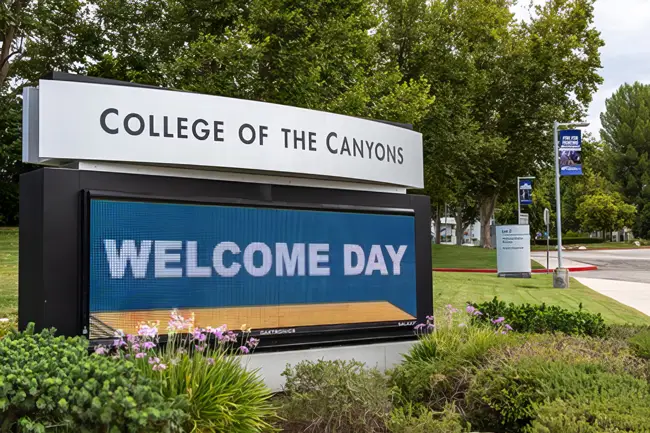
An outdoor marquee promotes Welcome Day to motorists on Rockwell Canyon Road.


  • Messages are approximately 10 seconds in length and will run for one month or until the event occurs, whichever comes first.
  • When content is complete, it will be programmed and you will be notified when it is in the rotation.
Submit a Request

Email pio@canyons.edu with your request. Include all key information (who, what, when, where, why). If the event or message is appropriate for display, we will edit the text to the essential elements and add graphics.


Indoor Display Monitors

Monitors at the Valencia and Canyon Country campuses can be utilized for marketing and informational purposes.

Slide Creation
  1. Ask PIO to create a slide for you, or...
  2. Create a slide in PowerPoint or Photoshop and save as a jpg. Email it to pio@canyons.edu.
Design Guidelines
  • The slide must be horizontal. Vertical fliers are not acceptable. Before you get started, view current content on a monitor to get an idea of what works.
  • Use high-contrast backgrounds and text.
  • Keep text to the basics (title, day/time, contact info) with a photo or visual. Use bold, easy-to-read fonts. Script fonts are hard to read at a distance.
  • Always view your slide once it is on the monitor. What looks good on a computer screen up close may not be readable on a TV monitor mounted on a wall.

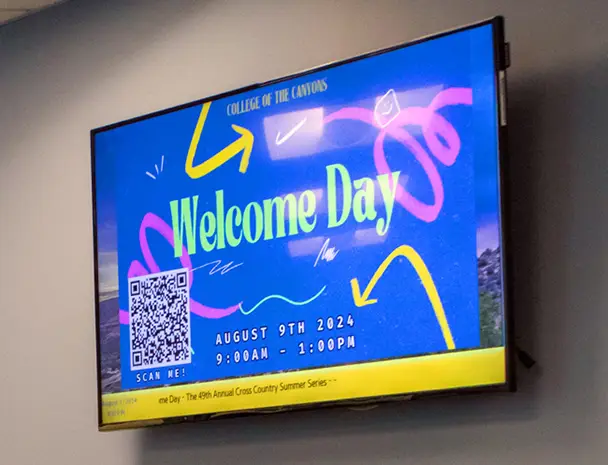
A wall-mounted display monitor promotes a campus event.

Important Considerations
  • We do not accept requests less than a week before an event due to time constraints. Anything received less than a week before does not allow adequate time for design and programming, and enough run-time for the promotion to be effective.
  • Slides can run a maximum of one month before being taken down in order to keep the content fresh.
  • Slides are programmed to display for 10 seconds. Only one slide is allowed per event. If you have multiple events to promote, and need more than one slide, we maintain a 30-second limit per department. For example, if you need 3 slides, you can run them for 10 seconds each.
  • Only certain monitors are available for campuswide use, as some were purchased for and will be utilized by individual departments for their own messaging.

Name Badges

Employee name badges are available in brass and silver, both with rounded corners, oxidized letters, and college logo.

When ordering, please provide preferred badge style, name, job title, and department. Given space limitations, you can opt to include only a name and job title. You will receive a proof to review before production begins.

Order a Name Badge

Brass Name Badge

BRASS
Dimensions: 3.5” x 2"

Silver Name Badge

SILVER
Dimensions: 3.5" x 1.5"


Male and female graduates smile during commencement.

Photography

The Public Information Office provides photographic services for promotional, marketing and archival purposes.

This includes major college events, award presentations, athletic contests and other select on-campus events and activities in which there is an opportunity to acquire high-quality images. These images are archived for potential use in campus publications, reports and presentations, as well as the college’s social media channels and other internal/external communications, and routinely shared with media outlets. PIO and Graphics staff also produce official employee headshots and department group shots by appointment.

Requests for Coverage

College staff requesting photo coverage should submit requests at:

Request Photo Coverage

All requests should be submitted with at least two weeks notice, allowing staff an opportunity to review the request and feasibility of coverage. Please note that submitting a request form does NOT guarantee a photographer will be available.

Subject Release Forms

A subject release form must be completed by students photographed as individuals or those who are easily identifiable in a small group shot. Depending on the nature of the event, PIO staff will work with the requester to obtain signed forms prior to the event and/or bring forms to the event and ask students to complete them.


An example of a poster for a college event.

Posters

Posters of all sizes are ordered from the Graphic Design Center, with requests reviewed by the Public Information Office. The Reprographics Center prints posters. Installation is handled by the requester.

Size

Posters are anything larger than 8.5 x 11 inches. Large-format posters are typically sized at 24 inches by 36 inches and mounted on foam core.

Timelines

Please allow a minimum of two weeks for design and production of posters (24" x 36"). If you are requesting large-format posters mounted on foam core to promote an event, please submit your order at least four weeks before the event. This allows for two weeks of design and production, and two weeks of display time. We will do our best to accommodate requests submitted with shorter notice.

Installation

Please keep these installation requirements in mind for large-format posters:

  • Hang posters on glass or metal surfaces using a removable hanging system like CommandStrips.®
  • DO NOT hang posters on painted interior walls. Commonly used adhesives, such as duct tape, damage paint when removed and create unplanned repair work for Facilities.

Order a Banner


Social Media

The Public Information Office manages official college profiles on Facebook, X, Instagram, YouTube, TikTok, and LinkedIn. Individual departments are welcome to create and maintain their own social media accounts if a permanent COC employee maintains access and oversight.

Should you not have the time or resources to maintain your own social media presence, consider reaching out to pio@canyons.edu to have your event or information posted on the college’s accounts instead.

Items to Consider

When setting up social media for your department:

All paid social media (including boosted posts) need to be run through the PIO department. Contact pio@canyons.edu for paid advertising needs.

Most social media platforms allow you to use the name of your department or club rather than the name of an individual. The exception is Facebook. You will need to create a PROFILE to manage your PAGE. We do not recommend using your personal profile. Rather, create a “dummy” profile to manage your page.

Choose a name for your profile that students can find easily. Incorporate “College of the Canyons” into the name because that is what students typically search for. For example, College of the Canyons – Counseling, or College of the Canyons, Counseling.

Managing your social media presence is an ongoing process. Monitor your accounts for questions or inappropriate comments. Refrain from censoring dissenting opinions but delete comments that call out specific employees, provide personal information, or include hate speech. Feel free to contact the Public Information Office for guidance should you come across a questionable comment.

Composite illustration of a hand accessing social media on a smartphone.


The college logo and district seal should NOT be used as the account profile picture. Consider using a department logo, photo of the campus or department, or something that highlights the department you are representing.

Photos taken at events or in the department can be used on your social media. However, all paid advertising requires that anyone identifiable in a post have a subject release on file. You can request a subject release form from pio@canyons.edu.

Should you have questions, concerns or suggestions, feel free to contact us at pio@canyons.edu or (661) 362-3414.


Style Guide

Publications produced at College of the Canyons adhere to the rules outlined in the Associated Press Stylebook and Webster’s Dictionary.

The following guidelines cover the most common usages.

Acronyms
  • Use acronyms only on second reference after the full, proper name has been used.
    • The Center for Applied Competitive Technologies (CACT) offers training for local businesses. CACT staff are available for consultation.
Academic Degrees
  • Associate of Arts degree, or associate degree (no apostrophe in either usage)
  • Bachelor of Arts degree, or bachelor’s degree
  • Master of Arts degree, or master’s degree
  • Doctor of Philosophy, or doctorate degree
Campuswide
  • One word, no hyphen; not campus-wide
College

Lower case when used by itself.

  • The college is located in Santa Clarita.
Districtwide
  • One word, no hyphen; not district-wide
Email
  • Lower case, no hyphen
Numbers
  • Spell out at the beginning of a sentence.
    • Five years ago, the college added new programs.
  • Spell out whole numbers below 10; use figures for 10 and above.
  • Spell out first through ninth.
Office
  • Capitalize when used as part of a proper name.
    • The Counseling Office will be open additional hours.
  • Lower case in general references.
    • Faculty offices are located in the building.
Online
  • One word, lower case, no hyphen
Santa Clarita Community College District
  • Use when referring to the entire district.
  • Lowercase district when used by itself or on second reference.
    • The district covers 350 square miles.
Titles
  • Capitalize when used before a person's full name.
    • Guest speaker is Counseling Director Jane Doe.
  • Lower case in all other uses.
    • Guest speaker is Jane Doe, counseling director.
Toward
  • Not towards; no ‘s’
Web
  • Lower case
Web Page / Website
  • web page – Two words, lower case
  • website – One word, lower case