
 Resources
 Campus Life
 Just for you


 My Canyons
  Canvas
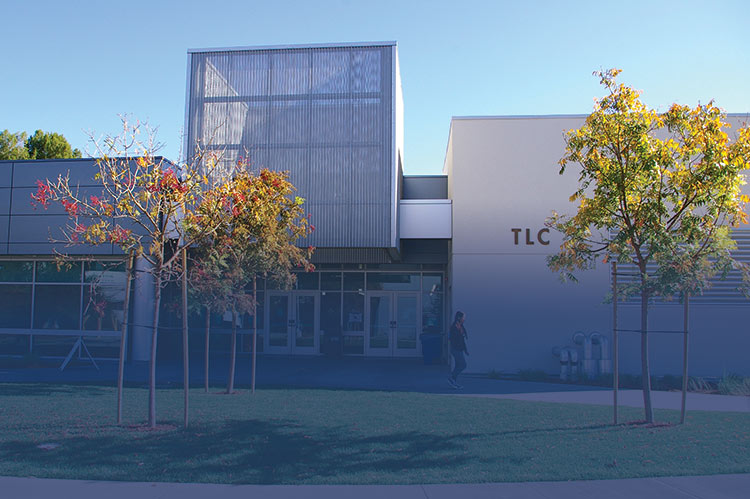
The Tutoring & Learning Center
 On your first visit to the TLC, our staff will enroll you in the FREE on-credit course NC.TUTR.94
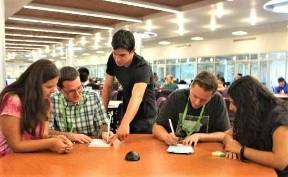
We provide free tutoring, workshops, guided learning activities (GLAs), and testing services for all students in a comfortable and welcoming atmosphere, both in-person and online.
All TLC services require your COC ID Number.



TLC Locations
26455 Rockwell Canyon Rd
Santa Clarita, CA 91355 (Directions)
We're located next to the Library in LTLC-126
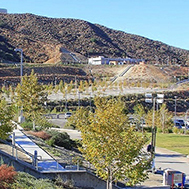
17200 Sierra Highway
Santa Clarita, CA 91351 (Directions)
We're located on the 3rd floor in the Student Services Building, CCSS-315
Learn About Parking Permits
CAMPUS PARKING:
Students and Visitors
Students and visitors can purchase daily or full-semester parking permits through My Canyons. A daily permit costs $3.00, and a semester permit costs $50.00. Discounted permits are available for qualified students.
For complete details, visit the Parking Permits and Fees page on the College of the Canyons website.
Parking permits are now virtual. Hanging and sticker permits are no longer issued, and your vehicle’s license plate will serve as your parking permit.
Students
- Students should log in to My Canyons and click the Parking or My Billing tile.
- They will then log in to the park permit system using their CanyonsID Credentials.
- The students can select the days they want to park on campus or purchase a semester-long permit.
- Students eligible for the California College Promise Grant (CCPG) or any other program that offers discounted parking will have a discounted permit option available for purchase.
- Payments are made online using Visa, Mastercard, or Discover cards.
- Students who wish to purchase their parking permit with cash can visit the Student Business Office on the Valencia Campus.
Visitors
Visitors can purchase daily parking permits online through the Parking Permits and Fees page on the College of the Canyons website. A QR code (shown below) is also available and links directly to the permit site.
Parking permit machines in the parking lots are no longer in use. Visitors can purchase permits directly from their phone. Once purchased, the permit is automatically linked to the vehicle’s license plate and registered as valid for campus parking. Existing parking machines display a message directing visitors to the online permit system.
How to purchase a parking permit
-
Create a username and password.
-
Select the permit type (daily or semester).
-
Enter vehicle information.
-
Proceed to checkout to complete the purchase.
-
When purchasing daily permits, multiple dates can be selected at one time.

Find Parking Near TLC
Valencia Parking Instructions:
Tutoring and Learning Center (TLC), LTLC -126, is located next to the Library on the south end of the campus. You will want to park in parking lot 15, the closest parking to the building (from Rockwell Cyn. Rd., turn onto University Center Drive and make a quick right into the first parking lot 15).
Canyon Country Parking Instructions:
Parking lots are located on either side of the campus entrance. Tutoring and Learning Center (TLC), CCSS-315, is in the middle of the campus. You can park in Lot 3 or Lot 6 and walk toward the Student Services and Learning Resources building.
Mission Statement
The mission of Tutoring and Learning Center is to develop student skills, prepare students to be independent learners, create a community of learning, and develop a passion for teaching among student tutors.
TLC Policies
- Registration: As required by Title 5 of California Code of Regulations, in order to utilize TLC services, each semester, students must be registered in the FREE, non-credit course, NC.TUTR-94. Tutoring and Learning Center staff will register each student on their first visit.
- Textbooks & other items: TLC has textbooks, headphones, drawing tablets, and calculators available for student use within the center. These items cannot be removed from TLC property.
- Private Study Rooms: Groups of two to six students can use a private study room in TLC for two hours at a time. Study rooms are equipped with TV/computer monitor, PC, lecture recording capabilities and white boards. Check in at TLC's front registration desk to reserve a study room.
- Computer Use: TLC computer use is restricted for work related to COC classes. Students must periodically save work, and TLC is not responsible for any lost work due to technical difficulties.
- Food/Drink: Drinks must be in a sealable, spill-proof container with a lid/cap that screws tight. Food is not permitted in TLC.
- Children: Children are not allowed inside TLC.
Frequently Asked Questions (FAQs)
Where can I obtain a new student ID card?
Student ID Card: College of the Canyons student ID numbers are required to use TLC services (with the exception of the Testing Center). ID cards/numbers can be obtained through the Campus Life & Student Engagement (Valencia Campus Student Center, Room 102 - (661) 362-3238; Canyon Country Campus, Room 204 - (661) 362-3840.
Does TLC have textbooks I can borrow?
TLC has textbooks available for student use within the center. If TLC doesn't have a copy of your book, let us know and we will do our best to get it!
Does TLC have places where a group can study?
Groups of two to six students can reserve a private study room in TLC for two hours at a time. Study rooms are equipped with flat screen TV/computer monitor, PC, lecture recording capabilities and white boards.
Do I have to register for TLC to take advantage of all of its resources?
As required by Title 5 of California Code of Regulations, in order to utilize TLC services, each semester, students must be registered in the FREE, non-credit course, NC.TUTR-94. Tutoring and Learning Center staff will register each student on their first visit.
Where can I park to have better access to the TLC?
There are multiple lots on the COC campus; however, Lot 15 at the South entrance off Rockwell is closest to TLC and library. When coming to TLC for an exam or for tutoring, keep in mind that parking is impacted, so arrive in plenty of time. Please review the campus map as well as further parking information for day passes and other regulations. Tutoring and Learning Center is located adjacent to the Library in LTLC-126 on the Valencia campus, and on the 3rd floor in the new Student Services Building #318 on the Canyon Country campus.
Our Computer Science tutors here at Tutoring and Learning Center can assist with issues such as downloading programs on to devices as well with Canvas Support.
How do I get help when I am having trouble with Canvas?
Call Canvas Support at 877-889-9052 (24/7), e-mail Canvas support at cvsupport@canyons.edu, or Canvas Zoom support at Remote Canvas Support (TLC Hours).
What can the Canvas Support staff help me with?
Canvas Support staff can guide you through simple navigation of Canvas and answer basic questions. If you are having difficulty finding grades or assignments, issue with quizzes or exams, please email your instructor.
I signed up for an online class that starts next week, but I can't find it on Canvas. What should I do?
After you register and pay for your class, it can take up to 4 hours for your Canvas account to be created and or enrolled into your Canvas class. Your course will not show up in Canvas until the first scheduled class meeting. If it is not setup within that time frame please contact your instructor or the Online Education department at online@canyons.edu, (661) 362-3600.
TLC@canyons.edu